
Smart Support Ticket
Management
Tickets transforms how you handle support requests with intelligent automation, SLA monitoring, and seamless client collaboration.

Overview
What is a Ticket Management System?
A ticket management system helps teams capture, prioritize, assign, and resolve support requests in a structured way. Tickets gives organizations a shared workflow for service delivery, response tracking, and customer communication.
What's Included
Key Features
Custom Ticket Types
Configure ticket types that match your business needs. Define categories, priorities, and workflows tailored to your support processes.
Smart Workflow Automation
Automatically move tickets through defined workflows. Once a task is completed, tickets progress seamlessly without manual handoffs.
SLA Monitoring & Management
Set up Service Level Agreements and monitor compliance in real-time. Track performance and address breaches instantly.
Intelligent Auto-Assignment
Use 4 distinct algorithms to automatically assign tickets to the right team members based on workload, skills, and availability.
Client Portal Access
Enable clients to log in, raise tickets, and track progress in real-time. Control visibility levels for transparency and security.
Performance Analytics
Gain clear visibility into SLA performance, team productivity, and ticket resolution metrics with comprehensive reporting.
Flexible Client Integration
Link tickets with clients via built-in client master, CRM integration, third-party APIs, or plain text for maximum flexibility.
Real-Time Notifications
Stay informed with instant notifications for ticket updates, SLA breaches, and important status changes.
Enterprise Security
Protect sensitive support data with role-based access controls, encryption, and secure client communication channels.
Why Tickets
Benefits
Built on Zestora Foundation
Leverage the power of Zestora's task management with specialized support features for comprehensive ticket handling.
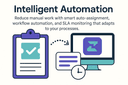
Intelligent Automation
Reduce manual work with smart auto-assignment, workflow automation, and SLA monitoring that adapts to your processes.

Client Collaboration
Empower clients with direct access while maintaining control over visibility and communication channels.
Applications
Use Cases
Customer Support Desks
Centralize customer issues, enforce SLAs, and give clients transparent updates from submission to resolution.
Internal IT Helpdesks
Route incidents and service requests to the right teams with automated assignment and structured workflows.
Multi-team Service Operations
Coordinate support across operations, product, and account teams with one shared ticket lifecycle.
Audience
Who Should Use It
Customer support teams managing high ticket volumes
IT service teams handling internal incidents and requests
Operations teams that need SLA-driven workflows and accountability
Testimonials
Voices from Our Community
Tickets transformed our support operations. The SLA monitoring and auto-assignment features have dramatically improved our response times.

David L.
Support Manager
The client portal access has improved our customer satisfaction significantly. Clients can now track their tickets in real-time.

Maria S.
Customer Success
Elevate Your Support Operations
Join organizations streamlining their support processes with Tickets' intelligent automation and client collaboration features.